In short: ChatGPT now searches the web and recommends businesses with links, but only websites its search crawler is allowed to read can appear. Many small business sites are accidentally invisible to it, or hard for AI to understand. Run our free SEO and AI audit to get your score in about 10 seconds, then use the checklist below to fix what’s holding you back.
Why ChatGPT search matters for your business
ChatGPT is no longer just a writing tool. OpenAI reported 900 million weekly users in February 2026, and many of them use it to research products, compare services and find local businesses. When ChatGPT searches the web, it answers in plain language and links to the websites it relied on.
That creates a new kind of word-of-mouth. If someone asks ChatGPT to recommend a web designer, an accountant or a plumber in their area, the businesses it names get the enquiry. And ChatGPT keeps expanding its reach: Cloudflare says its network data helped OpenAI index hundreds of millions of new pages for ChatGPT search.
How ChatGPT finds websites
OpenAI uses three separate crawlers, and the difference matters. According to OpenAI’s own documentation:
- OAI-SearchBot finds and surfaces websites in ChatGPT’s search features. OpenAI says sites that block it won’t be shown in ChatGPT search answers.
- GPTBot collects content that may be used to train OpenAI’s AI models.
- ChatGPT-User visits a page when a ChatGPT user asks it to look at something specific.
These settings are independent. You can allow ChatGPT search while blocking AI training, for example. OpenAI notes that changes to your site’s robots.txt file can take about 24 hours to affect search results.
The 10-second check
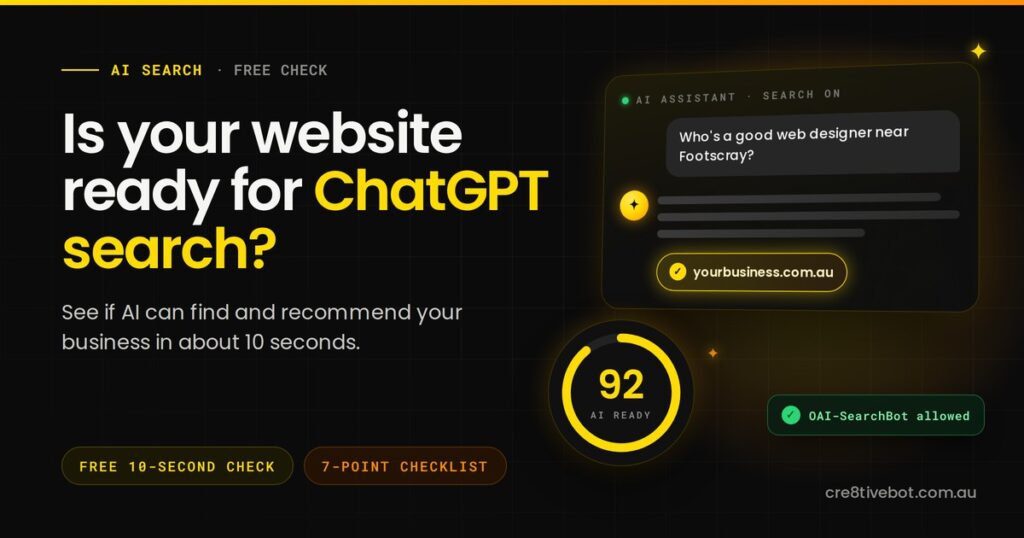
Start with our free SEO and AI audit tool. Enter your website and in about 10 seconds you’ll see:
- your overall SEO score and grade
- your AI readiness scores: how likely answer engines and AI assistants are to use and cite your content
- technical issues that make your site harder for search engines and AI to read, ranked by impact
It’s free, needs no sign-up, and gives you a clear starting point. Then work through the checklist below.
Your ChatGPT readiness checklist
1. Make sure ChatGPT’s search crawler is allowed in
Open yourwebsite.com.au/robots.txt in your browser. Look for a section mentioning OAI-SearchBot, or a general rule for all bots (User-agent: *), followed by Disallow: /. If you see that, ChatGPT can’t include your site in its search answers. Also ask your web host or developer whether a firewall, security plugin or content delivery network is blocking AI crawlers, as some do this by default.
2. Put your key information in the page itself
Make sure your services, locations, prices or price ranges and contact details are written as real text on your pages, not only inside images, PDFs or pop-ups. Fast-loading pages with clear text are easier for any crawler to read.
3. Answer real questions clearly
Write your service pages around the questions customers actually ask: what you do, who it’s for, how much it costs, how long it takes and which areas you serve. Put a direct answer first, then the detail. A short FAQ on each service page helps both people and AI.
4. Keep your business details consistent everywhere
Your business name, phone number, address, hours and services should match across your website, Google Business Profile, social media and directories. Structured data (schema markup) on your website spells these details out for machines. Inconsistent details make AI less confident about recommending you.
5. Publish things only you can say
Research on ChatGPT’s citations shows it leans toward primary sources. Case studies with real results, local pricing guides, photos of your own work and answers based on your experience give AI something original to cite. Generic content copied from elsewhere gives it no reason to choose you.
6. Build your reputation beyond your website
AI assistants look for confirmation from other sources. Keep collecting Google reviews, list your business in reputable Australian and industry directories, and look for genuine mentions from partners, associations and local media.
7. Track ChatGPT visits properly
In Google Analytics, ChatGPT visits often show up with chatgpt.com as the source. But don’t panic if the numbers dip: in October 2026, analysts found many ChatGPT links had briefly lost their tracking tags, so those visits were counted as “Direct” instead. Judge results by enquiries, not just traffic reports.
Test it yourself in ChatGPT
Once you’ve worked through the checklist, try these prompts in ChatGPT with search turned on:
- “Who are the best [your service] providers in [your suburb]?”
- “What does [your business name] do, and what areas do they serve?”
- “How much does [your service] cost in Melbourne?”
Check whether your business appears, and whether the details are correct. If ChatGPT describes you inaccurately, that’s usually a sign your website or listings are unclear or inconsistent somewhere.
Frequently asked questions
Should I block ChatGPT from training on my website?
That’s a business decision. OpenAI treats training (GPTBot) and search (OAI-SearchBot) separately, so you can block training and still appear in ChatGPT search answers. If visibility is your priority, make sure OAI-SearchBot is allowed.
How long does it take to show up in ChatGPT?
OpenAI says robots.txt changes take about 24 hours to take effect in search. Being recommended for competitive questions takes longer and depends on your content, reputation and how clearly your site explains what you do.
Do I need special software or an “AI plugin”?
No. The fundamentals matter most: let the right crawlers in, write clear and accurate content, keep your details consistent and build a genuine reputation. Tools can help you check progress, but there’s no shortcut.
Is this the same as SEO for Google?
It overlaps heavily. A fast, well-structured website with clear answers and a strong reputation helps you in Google, Google’s AI Mode and ChatGPT. Read our guide to Google’s AI-first search for the Google side of the picture.
Check your website now
Run our free SEO and AI audit and see your AI readiness score in about 10 seconds. Want help acting on the results? Our Melbourne team offers AI SEO and SEO services for Australian businesses. Book a free discovery call and we’ll show you what to fix first.